Saturday, 10 May 2014

DVD Disk Guides

The program that I will be using to create my DVD disk is Adobe Illustrator. But before I can start I will need to create guides for the disk so like an outline of it. This is to make sure that everything on the disk is safe from being cut off when it is printed out. Below is a screenshot of the guides that I created for my DVD disk.  


Brainstorming Ideas for DVD Disk

Now that I have completed my DVD cover I will now come up with some ideas on how to create the DVD disk. So to do I researched a different variety of DVD disks similar to my movie for example: Pirates at the Caribbean series and try to come up with different ideas to create my disk.

Here are some images I found on Google Images with each different design on the disk. 

Reference: 


Monday, 28 April 2014

Finished Version of DVD Cover

This is my finished version of my dvd movie cover in photoshop.


Adding Credits

To finish off my dvd movie cover I need to add credits to the backcover which usually outlines who the director of the film is, how long the film lasts for, company logos etc. I went on Google Images to get an image of the credits and saved it on my computer and then I used that for my dvd cover.
 
After this I used the sharpen tool on the three images and on the credits which allowed me to see the image much more sharply and get rid of any blur on it.  
 
Reference: . 2014. . [ONLINE] Available at: https://rookerdesigns.files.wordpress.com/2012/01/timothy_rooker_assignment_c_good.jpg. [Accessed 28 April 2014].


Adding Text on the Back Cover

The next stage of my project is to add some text about the movie on the back cover. To do this I went on to Lipsum.com and this is a website which allows you to generate words, paragraphs etc in to sentences which then can be used to add in to your work. I therefore generated a paragraph which is in latin to add it to my back cover of my movie. The reason why I changed the colour of the text to bright yellow was to stand the text out because it had a dark background behind it so a darker text colour would not be suitable in this context.
 
References: Lorem Ipsum - All the facts - Lipsum generator. 2014. Lorem Ipsum - All the facts - Lipsum generator. [ONLINE] Available at: http://lipsum.com/. [Accessed 28 April 2014].


Monday, 21 April 2014

Creating the Back Cover

To create the back cover I am going to start off creating a slogan at the top of my back cover. The reason for this is because when I done my research some horror films tend to have a slogan for the audience to catch their eye. So in this instance the slogan that I came up with is "Believe in it!". This slogan should attract the audience that these monsters are alive in the movie. 

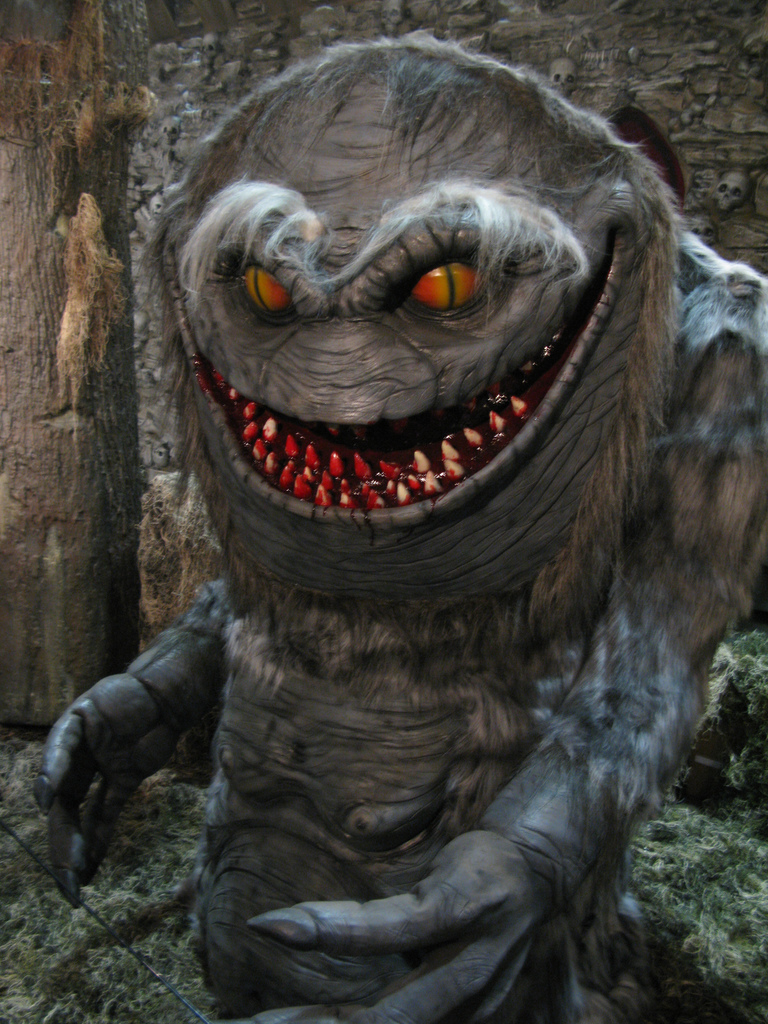
Also I will be adding 3 images to the back cover for this movie. Two of these images will have monsters and the third image will have the main character Jack Sparrow. To get these images I went on to Google Images and searched for them and then saved them on my back cover. For each of these image I have added a stroke on each image so it has a white border around it to make it stand out.


Harvard Referencing - Images


. 2014. . [ONLINE] Available at: http://thefuntimesguide.com/images/blogs/big-scary-monster-halloween-prop-by-daveiam.jpg. [Accessed 21 April 2014].


Using Oil Paint Filter on the Background

Now that I have created a front cover and a spine for my DVD cover I am going to add an advanced feature that will make the background look even more outstanding using a filter called Oil Paint. This feature allows me to change my background from a standard image to a painted effect image instantly. The reason why I chose to add this filter is because it creates a painted effect monster image which makes it even more realistic image. To get this filter I went in to filters and clicked on oil paint. This opened up a preview of how the oil paint effect will look and you can change the settings from here such as the style, cleanliness, scale etc. I decided to keep the settings at default when applied the filter.